Every morning,
a new day in Sikhi.
Your iPhone lock screen changes by itself each morning. It shows the Nanakshahi date and a moment from Sikh history. On Gurpurabs, Sangrand, Puranmashi and Vaisakhi it switches to a special design. In Gurmukhi and English.
What you see each day
The Nanakshahi date
Day, month and year of the Sikh calendar, quietly at the top of your lock screen.
Special days
Gurpurabs, Sangrand, Puranmashi and Vaisakhi get their own design, with a short line on what the day means.
On this day in Sikh history
One event or person from Sikh history, in a single sentence.
Set up in two minutes
Scroll through the ten steps. You need an iPhone with the latest iOS (iOS 27).
-
 1
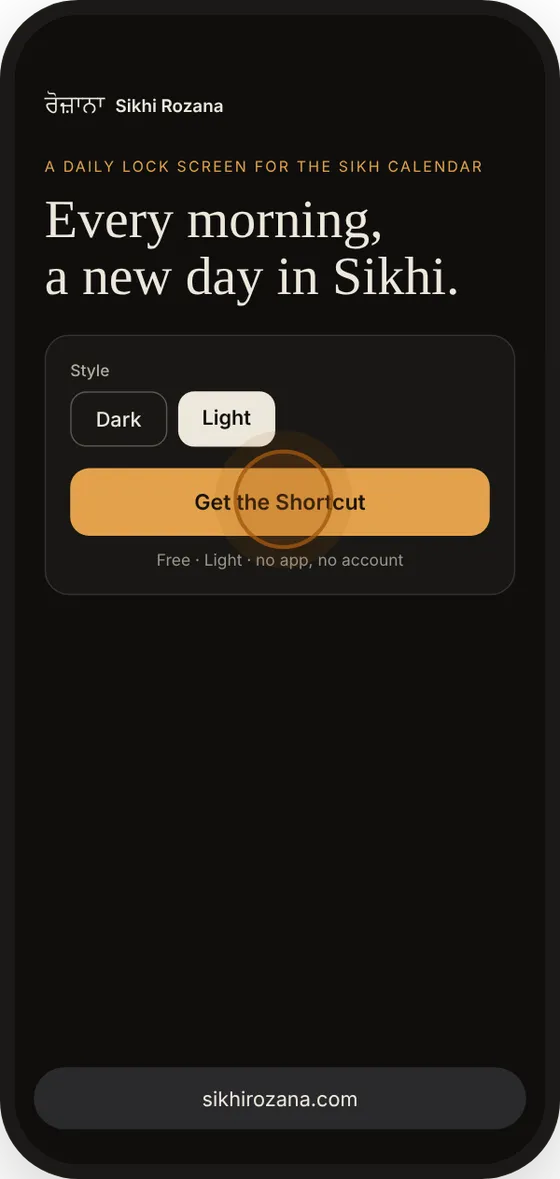
Pick a style
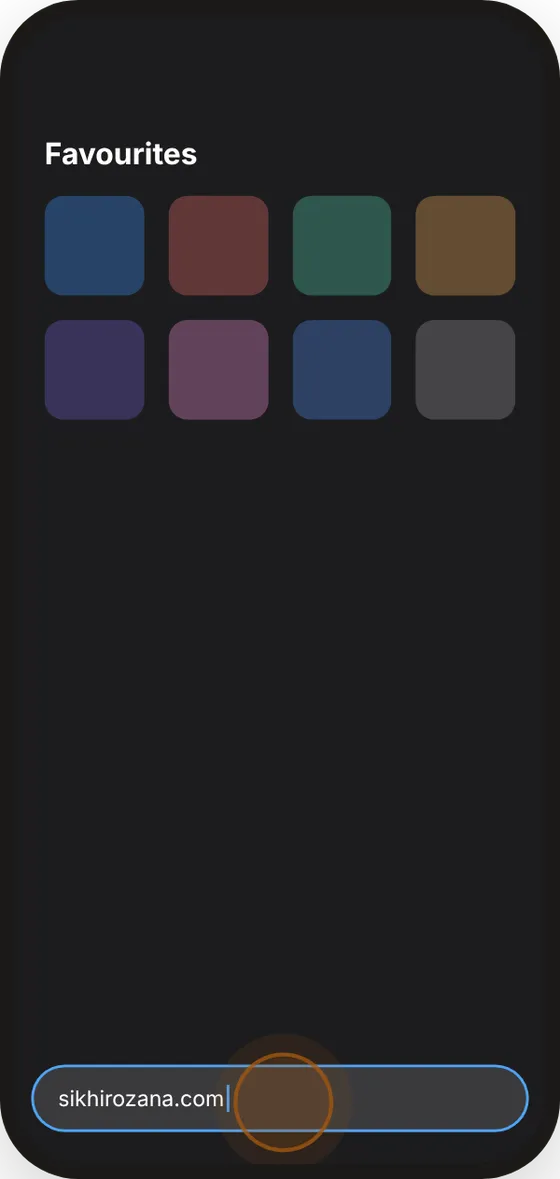
Choose Dark or Light at the top of this page, then tap Get the Shortcut. Do this on your iPhone, in Safari.
-
 2
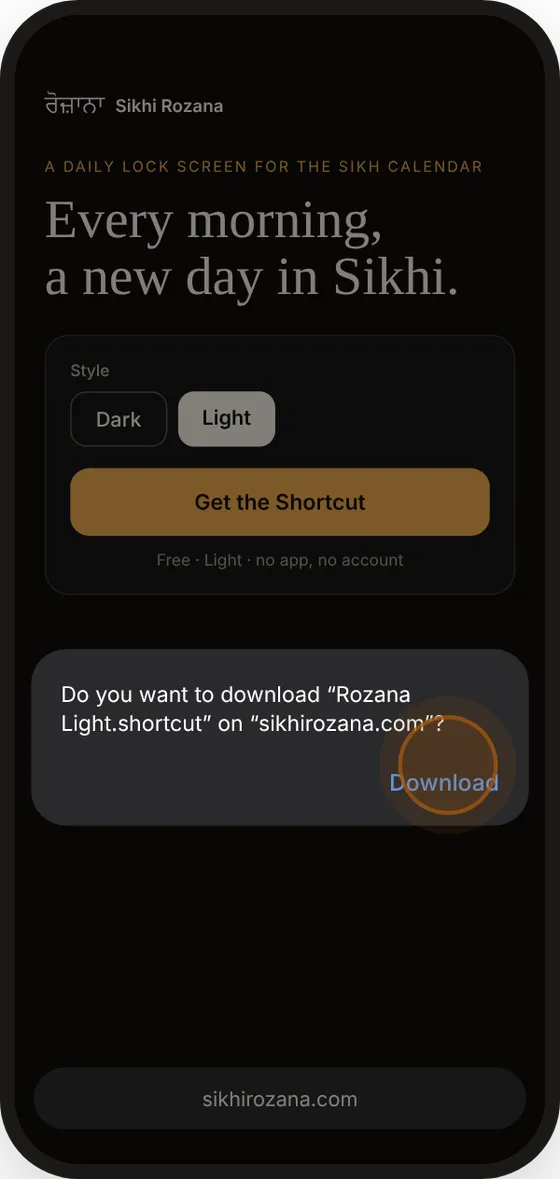
Download it
Safari asks if you want to download the file. Tap Download.
-
 3
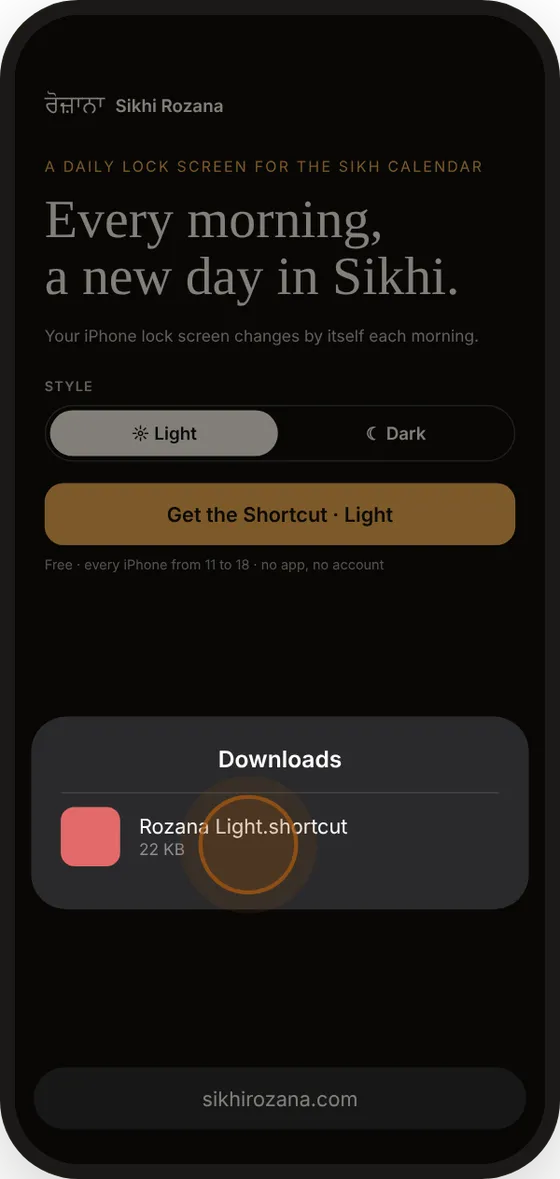
Open it
Tap the menu button in the address bar, then Downloads, and tap the Rozana file. If you downloaded it twice, it may be called Rozana Light 2. That's fine.
-
 4
Add it
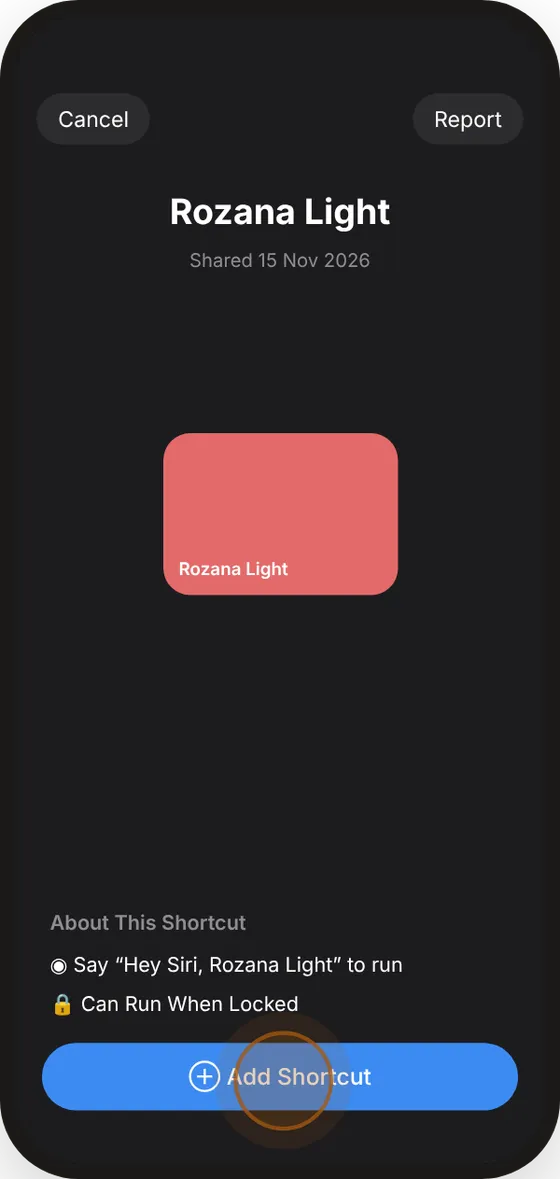
The Shortcuts app opens. Tap Add Shortcut.
-
 5
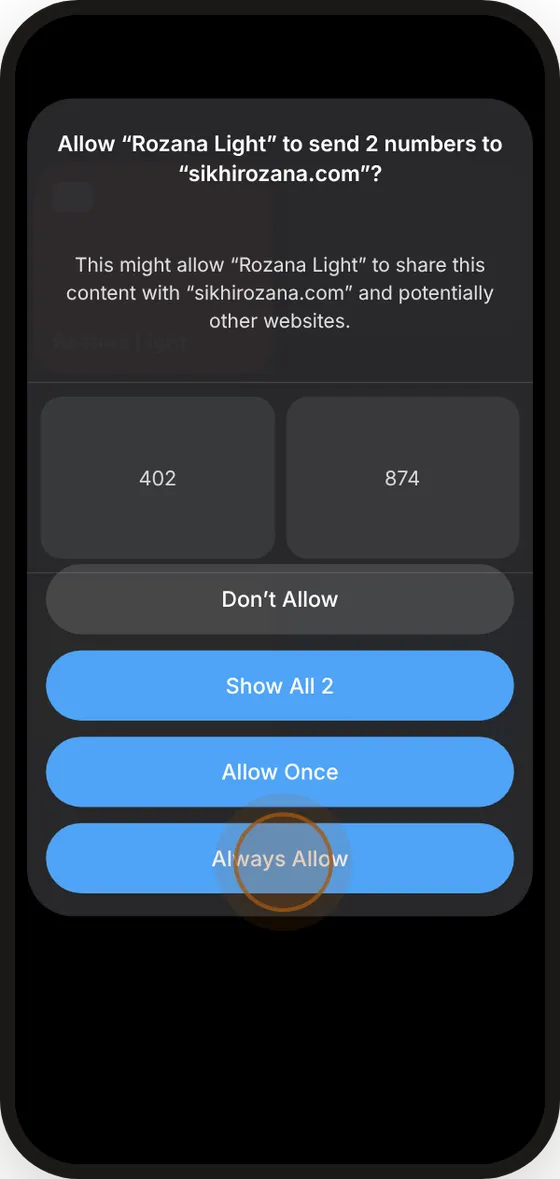
Always Allow
In the Shortcuts app, tap Rozana Dark. It asks to send 2 numbers to sikhirozana.com: that's your screen size, so the picture fits your iPhone. Tap Always Allow.
-
 6
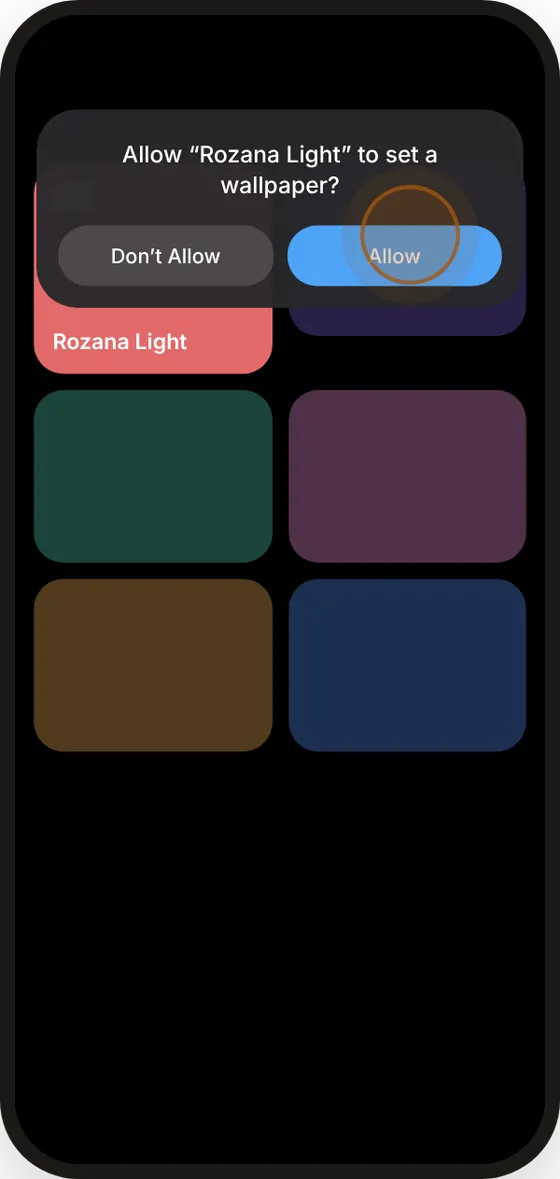
Allow the wallpaper
Tap Allow so it can set your lock screen. Today's wallpaper appears.
-
 7
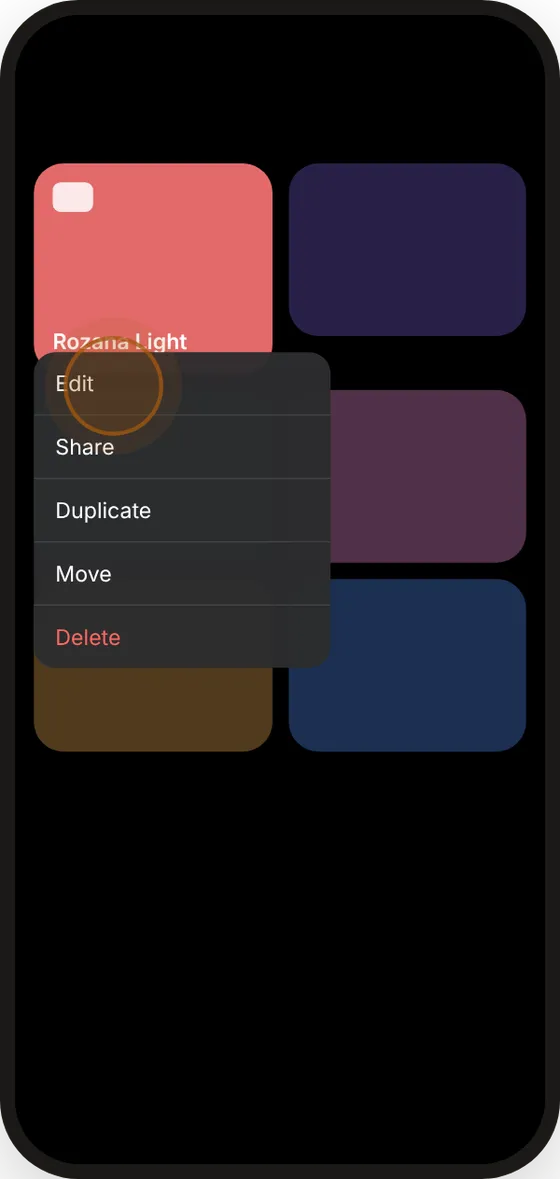
Open the editor
Touch and hold Rozana Dark, then tap Edit.
-
 8
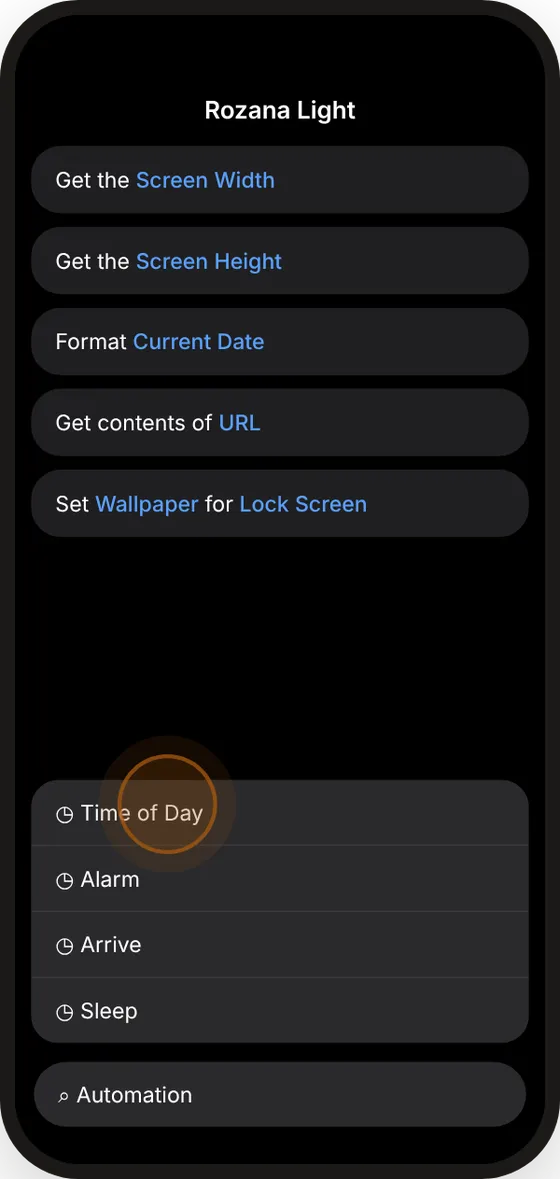
Add a time
Tap Search in the bottom bar, type Automation and choose Time of Day.
-
 9
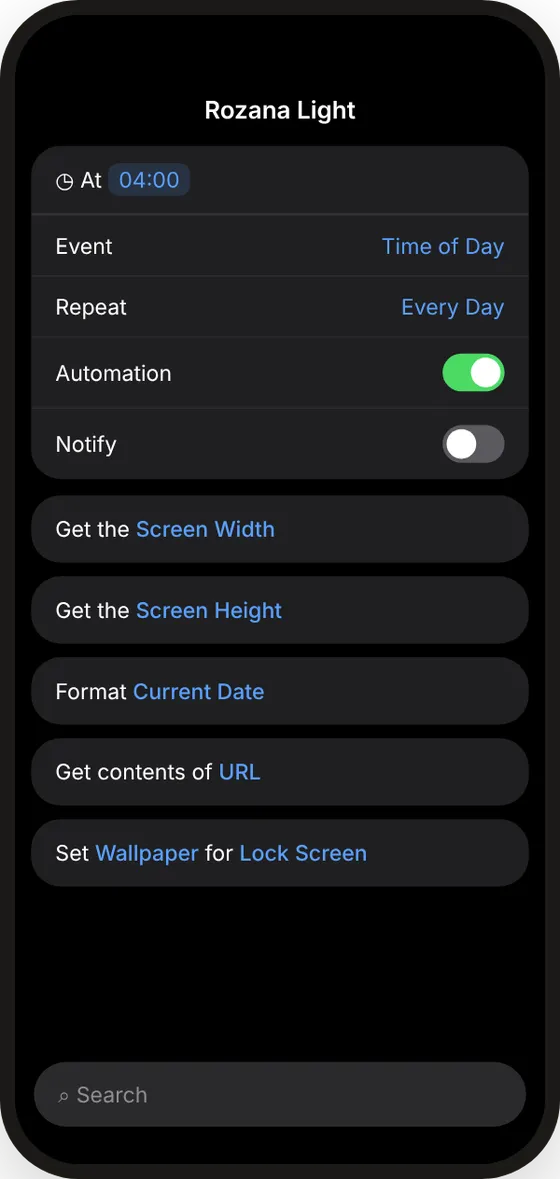
Set it up
Set the time, for example 04:00. Repeat: Every Day · Automation: on · Notify: off.
-
 10
Done
From tomorrow your lock screen changes by itself every morning. On Gurpurabs it shows a special design.
Download doesn't work? Build the Shortcut yourself (5 actions)
- In the Shortcuts app, tap + and name it Sikhi Rozana.
- Add Get Device Details and set it to Screen Width. Add a second one set to Screen Height.
- Add Format Date: Current Date, Date Format Custom, format
yyyy-MM-dd. - Add Get Contents of URL with this address, inserting the three variables where shown:
https://sikhirozana.com/w/Formatted Date/Screen WidthxScreen Height-dark.png - Add Set Wallpaper, choose Lock Screen, set the image to Contents of URL and turn off Show Preview.
For the light style, use light instead of dark at the end of the address.
Made with care for the Sangat
Sikhi Rozana brings the Sikh calendar and moments from Sikh history to your lock screen, one day at a time. All dates follow the SGPC calendar, the same one the Gurdwaras use.